How to Optimize Your Link on Bio Instagram Setup in 5 Steps
You just posted a highly produced piece of content, and the efficiency of your link in bio on Instagram setup is about to be tested. The call to action is explicit, directing viewers to tap through to your profile to claim an offer. But when that surge of traffic actually lands on your page, they find a single, raw URL pointing to an unoptimized corporate homepage. They are forced to hunt for the relevant product, get frustrated, and drop off immediately.
Configuring this routing correctly is the difference between capturing that momentum and watching a massive audience turn into a zero-conversion anomaly. A misconfigured destination squanders attention, while a properly structured routing strategy turns a static profile into a high-performing conversion engine. Understanding the platform's specific routing mechanics, avoiding the traps of the proprietary browser, and consolidating your campaigns are critical steps for any digital practitioner.
Quick Summary
Defining the setup of your social media external link is the foundational mechanism for routing traffic to owned assets. A dedicated mobile landing page consolidates multiple campaigns into a single, trackable tap.
- Navigate directly to the 'Edit Profile' menu to access the dedicated external link settings.
- Always deploy a mobile-optimized link-in-bio platform instead of a generic desktop homepage.
- Add a clear, action-oriented title to set user expectations before they click.
- Test the URL exclusively inside the platform's in-app browser to identify rendering failures.
Table of Contents
- 1. Define Your Destination URL
- 2. Locate the External Links Menu
- 3. Configure the Primary URL Field
- 4. Title the Destination for Context
- 5. Audit the In-App Browser Experience
- Common Pitfalls & Troubleshooting
- FAQ
- Recommended Reads
1. Define Your Destination URL
Consolidating Traffic Requires a Dedicated Hub
Before touching the application settings, you must decide where the traffic is actually going. A single profile URL carries a heavy operational burden: it must simultaneously serve users arriving from a grid post promoting a new product, a short-form video highlighting a podcast episode, and a story linking to a newsletter signup. Routing all these disparate intents to a generic corporate homepage forces the user to hunt for the specific context they clicked for. Most will not bother. They will abandon the session within three seconds.
The correct mechanic is deploying a dedicated mobile landing page. This hub acts as an intermediate routing layer, presenting the user with a clean, tappable menu of your active campaigns. The mistake practitioners make here is treating the profile URL as a set-and-forget field, pointing it directly to their primary e-commerce storefront and never updating it. This creates a severe intent mismatch. If a user clicks through from a video discussing a specific discount code, that exact discount must be the first thing they see on the destination page, not buried three menus deep on a desktop-formatted site.
2. Locate the External Links Menu
The Interface Separates URLs from Biography Text
The application interface undergoes frequent redesigns, leaving many account managers wondering exactly where the link in bio is on Instagram. Previously, the URL field sat directly beneath the text editor for the profile biography. The platform has since decoupled these elements to prevent formatting errors and combat network spam.
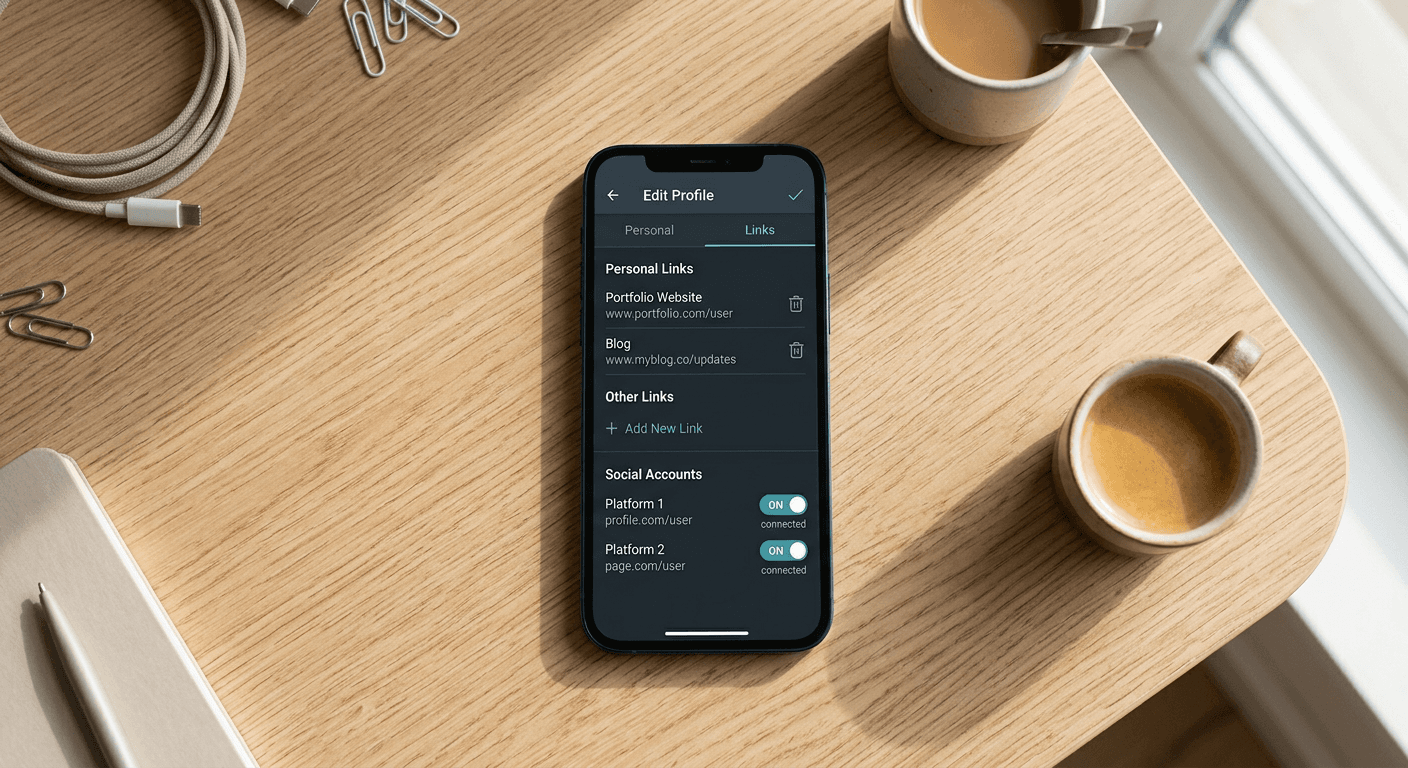
To find the correct settings panel, navigate to your profile tab and tap the 'Edit Profile' button located just below your follower count. Scroll past the 'Bio' text field until you find the dedicated 'Links' section. Tapping this opens a separate menu where you can manage external destinations without altering your profile text.
The most common failure at this stage is pasting the destination URL directly into the 'Bio' text box instead of using the dedicated links menu. Because the platform restricts hyperlinks in standard profile text, a URL pasted into the biography renders as unclickable plain text. Users attempting to visit your site are forced to memorize the web address, manually open a browser, and type it out - a friction point that guarantees a near-zero click-through rate. You must ensure the URL is placed exclusively within the external links interface to generate a functional hyperlink.
3. Configure the Primary URL Field
Raw Tracking Parameters Trigger Spam Filters
Once inside the external links menu, the process to add a link to your Instagram bio requires precise formatting. Tap 'Add external link' to open the configuration screen. You will see two fields: one for the URL and one for the Title.
Paste your complete destination web address into the URL field. You must include the full https:// protocol prefix. While the application sometimes auto-corrects naked domains, relying on this behavior risks generating broken routing if the security certificate fails to handshake properly.
Practical rule: Never use a naked tracking parameter in a visible profile URL; route it through a clean custom domain first.
The critical mistake in this step involves pasting raw affiliate links or heavily parameterized tracking URLs generated by analytics software. The platform relies on aggressive automated filters to protect its ecosystem. Long strings of tracking tags or widely used free URL shorteners are frequently flagged by these algorithms as suspicious. When this happens, the system will either block you from saving the profile changes or silently shadowban the link, presenting users with a severe security warning when they attempt to click through. A branded domain or a verified routing infrastructure bypasses this filter entirely.
4. Title the Destination for Context
Unlabeled URLs Suffer from Truncation
After inserting the web address, you must address the often-ignored 'Title' field. Understanding how to put a link in your Instagram bio effectively means acknowledging how the final output renders on a user's mobile screen. The title you enter here replaces the raw URL text displayed on your public profile.
If you leave this field blank, the interface defaults to displaying the literal web address. For short domains, this is merely unesthetic. For longer URLs or specific subdirectories, the application truncates the text with an ellipsis, leaving users guessing where the hyperlink actually leads. A truncated URL like store.brand.com/products/sum... provides zero context and reduces trust, heavily suppressing your outbound click-through rate.
The correct approach is to assign a clear, action-oriented title that sets an immediate expectation. 'Shop the Summer Collection' or 'Read the Latest Newsletter' clearly defines the value proposition before the user taps. The mistake here is redundancy: do not use the title field to simply rewrite the domain name. If your brand name is already at the top of the profile, titling the link with that exact same brand name wastes the only piece of conversion copy available on the profile screen.
5. Audit the In-App Browser Experience
WebViews Strip Authentication Tokens
Adding a link to your Instagram bio is only half the implementation; validating the final user experience is what actually secures the conversion. When a user taps your profile URL, they do not leave the application. Instead, the platform opens the destination inside its proprietary in-app browser, known structurally as a WebView.
This environment operates differently than a native system browser like Safari or Chrome. It does not share active login sessions, it frequently restricts third-party cookies, and it can disrupt complex JavaScript executions. You must audit the live link from a secondary mobile device to see exactly what your audience sees.
The fatal error is verifying the layout exclusively on a desktop monitor and assuming the mobile deployment will hold up. A high-resolution desktop site forced into a mobile WebView often breaks: navigation menus overlap, pop-up forms become impossible to close, and third-party payment gateways fail to initialize. If your checkout flow requires the user to authenticate through a separate banking application, the WebView will likely block the handoff, resulting in abandoned carts. Testing the end-to-end routing directly inside the app ensures you identify these friction points before driving live traffic into a broken funnel.
Common Pitfalls & Troubleshooting
Even with correct configuration, external routing can fail in ways that look identical from the user's perspective. Diagnosing the exact mechanism behind a broken pathway prevents you from rewriting URLs unnecessarily.
The Plain Text Trap Symptom: Analytics show zero outbound clicks despite high profile visits, and users report they cannot tap the destination. Diagnosis: The web address was pasted into the main biography text editor instead of the external settings menu. The platform renders this as unclickable text. This is the single most common cause of failed routing. Fix: Delete the text from the biography block, navigate to the dedicated 'Links' sub-menu, and paste the URL exclusively into the designated protocol field.
The Third-Party Payment Block Symptom: The destination loads correctly, and users can add items to their cart, but conversion rates drop to zero at the final checkout stage. Diagnosis: The application’s WebView is restricting the handoff to native wallet applications. When a user attempts to trigger a mobile payment system or a banking application for authorization, the in-app browser blocks the external prompt. Fix: Implement a destination platform that forces an 'Open in System Browser' prompt, or ensure your checkout gateway has a fallback credit card entry form that does not rely on cross-app authentication.
The Shared Shortener Shadowban Symptom: Tapping the profile URL results in a blank white screen, or a platform warning stating the link is potentially malicious. Diagnosis: You are routing traffic through a generic, free URL shortener. Because these public domains are frequently exploited by malicious actors, automated spam filters often blacklist the entire routing domain, taking your legitimate link down with it. Fix: Abandon public shorteners entirely. Route your traffic through a verified custom domain or a dedicated platform infrastructure that maintains its own domain reputation.
The Cache Lock
Symptom: You updated the destination URL in your settings, but tapping the live profile still loads the old campaign page.
Diagnosis: The application is serving a cached version of the previous WebView session to conserve bandwidth and reduce load times.
Fix: Force-close the application and clear the local cache on your testing device. If the issue persists, append a harmless tracking parameter (like ?v=2) to the end of your new URL to force the platform to fetch a fresh instance of the page.
FAQ
Can I list multiple standalone URLs directly on my profile? The platform currently allows you to add up to five external URLs natively in the settings menu. However, only the first one is immediately visible on the profile screen; the others are grouped under a drop-down menu that reads 'and X others.' Because this requires an extra tap, secondary URLs suffer from drastically lower visibility and engagement.
Why does my destination page look distorted when opened from the app? The in-app browser relies on the mobile operating system's native rendering engine, which can interpret CSS styling differently than a full desktop browser. Elements that rely on absolute positioning or complex hover states frequently break in this environment. Your destination must be strictly optimized for vertical mobile viewports.
Do I need a professional account to enable external routing? No. The ability to route traffic externally is available to all account types, including personal, creator, and business profiles. The settings interface remains identical regardless of your account tier, though business accounts gain access to deeper outbound click analytics natively.
Does updating my destination URL frequently trigger security blocks? Swapping your primary campaign destination does not inherently flag your account. However, rapidly changing the domain name several times within a few minutes can trigger automated anti-bot protections. Plan your campaign transitions deliberately rather than using the live profile field as a testing environment.