How to Optimize Your Link Social Setup for Cross-Platform Traffic
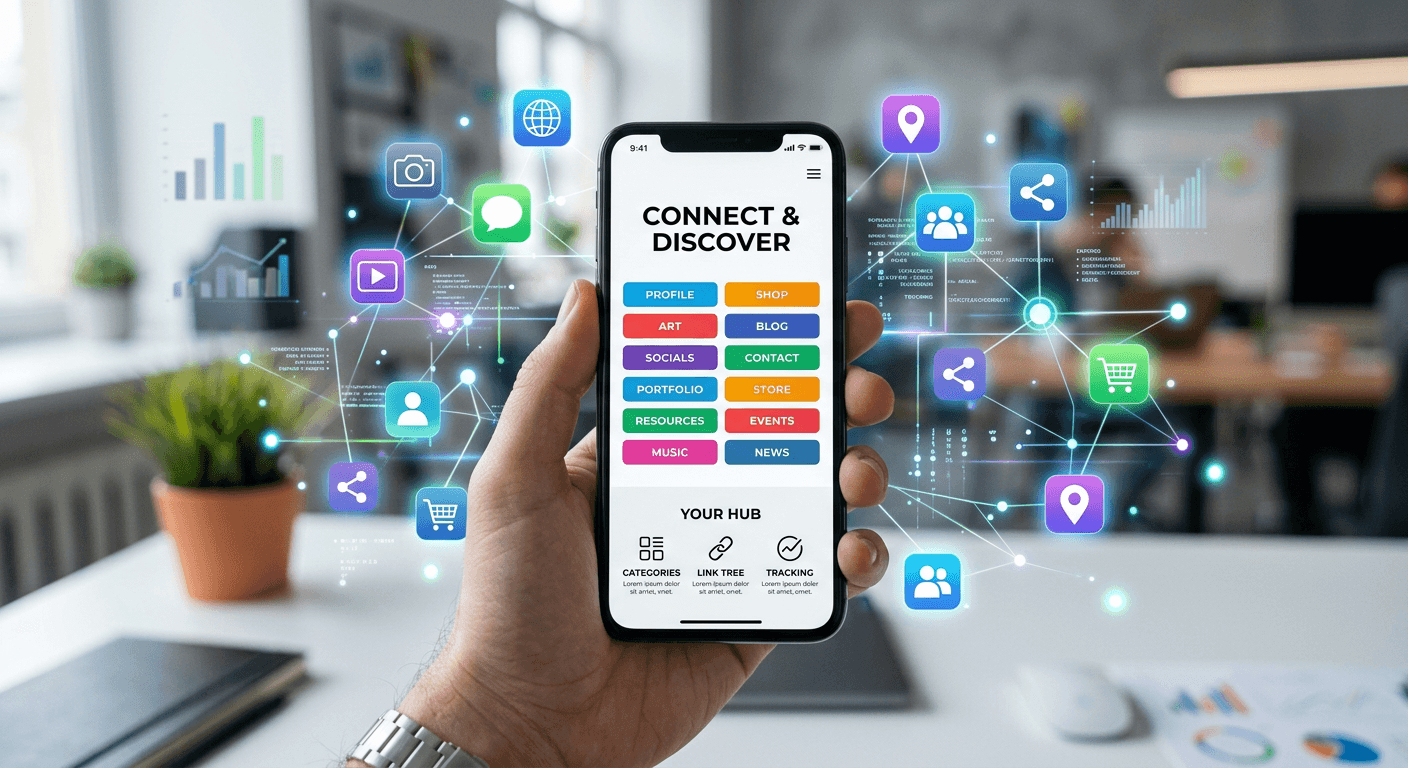
A creator uploads a high-production video, directing viewers to a new product launch, only to realize the host platform restricts outward navigation. When a follower attempts to trace the path, they are met with a fragmented profile pointing to a dead store page, a generic homepage, or an outdated calendar booking system. Structuring a link social strategy is the only mechanism that reliably moves an audience from a closed ecosystem - like a short-form video feed - into an environment you actually control. Without a centralized hub, engagement dies at the edge of the profile. Social algorithms suppress external URLs in organic posts, forcing businesses to rely on a single bio link to handle all conversion goals simultaneously. This guide breaks down exactly how to manage connections across networks, measure where traffic originates, and strip friction from the user journey.
Quick Summary
A centralized connection strategy organizes disparate online assets into one functional landing environment, allowing creators and businesses to route traffic efficiently. Instead of updating individual network profiles daily, practitioners maintain a single hub that directs followers to products, portfolios, and contact points.
- Audit existing profiles to remove dead endpoints.
- Centralize inbound traffic through a single custom mobile-first URL.
- Prioritize top-tier conversion goals strictly above the fold.
- Attach tracking parameters to isolate high-performing channels.
- Bridge offline contexts with dynamic QR code distribution.
Table of Contents
- 1. Audit Your Existing Link Social Footprint
- 2. Consolidate Assets Into a Single Landing Environment
- 3. Order Destinations Based on Immediate Conversion Value
- 4. Deploy Parameter Tracking Across Every Digital Link
- 5. Bridge Offline Contexts With Physical Distribution
- Common Pitfalls & Troubleshooting
- FAQ
- Recommended Reads
1. Audit Your Existing Link Social Footprint
Identify Broken and Redundant Endpoints
Before introducing a centralized routing system, you have to catalog what currently exists across your profiles. Creators and small business owners typically accumulate dozens of URLs over time, pointing to seasonal promotions, deprecated booking software, or out-of-stock product variants. When you leave these fragments live, you fracture your inbound traffic. A user navigating from a short-form video might click an abandoned promotional link and instantly bounce, permanently degrading your algorithmic authority for outbound clicks on that specific platform.
The mechanics of an audit require pulling every URL currently hosted in your bios, comments, and automated direct messages. You must test each one in an incognito browser session to ensure it resolves to a secure, active page rather than a 404 error or an expired domain parking screen. You must also check load times; a functioning link that takes eight seconds to resolve is effectively broken for a mobile user navigating from a cellular connection. Mobile platforms will penalize your profile visibility if outbound users consistently abandon the loading screen before reaching the destination.
The most frequent mistake practitioners make during this step is ignoring historical content. They update the primary bio URL but forget that a legacy link in the description box of their highest-performing video still points to a discontinued service. That single oversight constantly leaks potential conversions. You must standardize the destination URL across all historical and current media, ensuring every old post funnels into your modern routing hub.
2. Consolidate Assets Into a Single Landing Environment
Select a Dedicated Hub Architecture
Rather than manually swapping URLs every time you launch a product, post a new video, or update your portfolio, you must implement a unified landing page that holds all relevant destinations. This environment acts as a traffic router. It absorbs the friction of platform limitations - such as networks only permitting one clickable URL in the profile - and expands that single entry point into a categorized menu.
Building this requires a distinct mobile-first page. This is not your standard desktop homepage squeezed onto a smaller screen; it is a rapid-loading interface containing high-contrast buttons. The environment must load in under two seconds on a 3G mobile network, because the vast majority of social traffic originates from mobile devices in varied connectivity environments. If the page requires rendering heavy javascript frameworks or uncompressed background images, the bounce rate will skyrocket before the menu even appears.
Practical rule: Never embed a heavy video player or a complex image carousel at the top of your routing page; use text-based buttons and fast-loading vector icons to ensure immediate functionality on poor cellular connections.
The critical error made at this stage is routing followers directly to a generic corporate homepage instead of a dedicated link environment. A standard homepage forces the user to navigate complex dropdown menus to find the specific item mentioned in your recent post. A unified digital ecosystem prevents this by allowing you to mirror the exact offers you discuss in your content, dramatically reducing the distance between the initial click and the final conversion.
3. Order Destinations Based on Immediate Conversion Value
Structure the Vertical Hierarchy
Once you have established a single landing environment, the arrangement of your outward paths dictates your conversion rate. A list of twenty buttons organized chronologically by when you created them is useless. You are relying on the user's patience to scroll and read, which on mobile social traffic is measured in milliseconds. If the user cannot immediately spot the destination they came looking for, they close the tab and return to the primary feed, costing you both the conversion and the algorithmic signal that your profile provides value.
The mechanics of hierarchy dictate that your highest-value action - whether that is a newsletter sign-up, a new product purchase, or a lead capture form - must sit at the absolute top, entirely visible without scrolling. This area is known as above the fold. Secondary destinations, such as your other social profiles, press mentions, or legacy storefronts, belong lower down the page. Group similar functions together. If you are a freelancer offering services, group booking links in one cluster and portfolio examples in another, using dividers to create visual separation.
The mistake practitioners repeatedly make here is treating their routing page like a permanent archive rather than an active funnel. They leave a three-month-old holiday sale button at the top simply because they forgot to reorganize the layout, burying a new product launch at the bottom. Your hierarchy must rotate based on your current content cycle. If your latest campaign promotes a specific consulting package, that package's button must temporarily move to the number one slot.
4. Deploy Parameter Tracking Across Every Digital Link
Standardize Your UTM Framework
Routing traffic efficiently is only half the process; you must also attribute where that traffic originates. If you simply paste raw destination URLs into your landing environment, your analytics dashboard will classify all inbound visitors as generic direct or referral traffic. You will have no idea whether a buyer clicked through from a specific video, a text-based post, or an email signature.
To solve this, you must construct a standardized tracking framework for every digital link you deploy. This involves appending specific UTM (Urchin Tracking Module) parameters to your destination URLs before adding them to your routing hub. At a minimum, track the platform, the format, and the specific campaign. When a user clicks the button on your routing page, the destination analytics software strips these tags and logs them, allowing you to clearly see which platform generates actual revenue versus which merely generates empty clicks.
The common failure mode during implementation is inconsistent naming conventions. A marketer will tag one URL as a specific platform abbreviation, another as the full platform name, and a third with a typo. This fractures the data in your analytics platform, making it impossible to aggregate performance without manual spreadsheet work. Establish a strict, lowercase naming convention and document it before deploying any tracking tags.
5. Bridge Offline Contexts With Physical Distribution
Generate and Route QR Traffic
Digital connection strategies must eventually intersect with the physical world. For small business owners, freelancers, and event-based creators, restricting your routing hub exclusively to online profiles cuts off significant acquisition channels. The mechanism for bridging this gap is the dynamic QR code, which connects physical surfaces - like business cards, pop-up banners, and product packaging - directly to your centralized digital environment.
Generating a dynamic QR code differs fundamentally from generating a static one. A static code hardcodes the destination URL into the image pattern; if you ever need to change where the code points, you must reprint every physical asset. A dynamic code points to a flexible redirect URL hosted by your routing platform, meaning you can update the final destination in your hub without ever altering the printed geometric pattern on your physical materials.
The fatal mistake professionals make in offline distribution is printing a code without a clear call to action. Slapping a bare QR pattern onto a flyer with no context guarantees low scan rates. Users will not pull out their camera simply because a code exists; you must explicitly state the value exchange. Printing direct instructions next to the code provides the necessary context to drive the physical-to-digital transition and clearly sets expectations for what happens after the scan.
Common Pitfalls & Troubleshooting
Implementing a centralized routing architecture introduces specific failure modes that often look identical from the user's perspective - usually presenting as a high bounce rate or a low conversion rate. Diagnosing the exact cause requires isolating the symptom.
The Infinite Redirect Loop
Symptom: Users click the URL in your bio but are met with a browser error stating the page cannot load due to too many redirects. Your analytics show zero pageviews despite high click-through rates from the social platform. Diagnosis: This almost always happens when your custom domain's DNS settings conflict with the routing platform's SSL provisioning, or when you have nested a URL shortener inside another URL shortener. Fix: Strip all intermediary link shorteners out of the path. Point your social profile directly to your hub's domain. If using a custom domain, verify your A records and CNAME configurations in your domain registrar to ensure they point exactly to your platform's IP address without proxying.
The Platform In-App Browser Trap
Symptom: Traffic arrives at your landing page, but users report they cannot complete a purchase or log into a connected service, such as a secure payment gateway. Diagnosis: Social networks force outward clicks to open inside their proprietary in-app browsers rather than the user's native device browser. These in-app browsers often block third-party cookies and restrict secure payment sessions. Fix: Enable "force native browser" settings if your routing tool supports it, or place explicit text on your page advising users to tap the menu icon and select the option to open the page in their system browser before initiating a purchase.
Analytical Data Dilution
Symptom: Your e-commerce dashboard shows a massive spike in generic traffic, but you cannot attribute sales to the specific social network or button that drove them. Diagnosis: Your centralized page is stripping referer data, or you failed to implement tracking parameters on the outbound paths hosted on the hub. Fix: Add explicit tracking tags to every outbound button on your page. The most common underlying cause is relying solely on the routing platform's built-in click counters, which track volume but do not pass acquisition data down the funnel to your actual storefront.
Visual Overload and Decision Fatigue
Symptom: The page receives high traffic and loads quickly, but outbound click-through rates are below ten percent. Users load the page and immediately exit. Diagnosis: You have populated the environment with too many competing options, contrasting colors, and aggressive animations that obscure the primary goal. Fix: Audit your page and remove anything that is not directly tied to a current business goal. Limit the interface to five core buttons, enforce a unified color palette, and disable all shaking or pulsing animations that distract from the primary call to action.
FAQ
Why is my social media traffic bouncing before reaching my products?
Traffic typically bounces when the destination requires too much navigation. If a user clicks a profile link expecting a specific product but lands on a generic corporate homepage, they will not search your site for the item. You must route them to a dedicated intermediary page that mirrors the specific offers you recently promoted.
Do I need a custom domain for my digital routing page?
While not strictly required for functionality, deploying a custom domain significantly improves trust and brand consistency. When users see a recognizable brand URL rather than a generic platform string, they are less likely to assume the destination is spam. It also protects your ecosystem; if a shared platform domain gets temporarily flagged by a spam filter, your custom domain remains unaffected.
How frequently should I update the layout of my landing environment?
You should update the vertical hierarchy every time you launch a new major content initiative or product. The top button must always align with your most recent promotion. Leaving outdated offers at the top of the page trains your repeat visitors to ignore the primary real estate, actively hurting the performance of your newer campaigns.
Can I host heavy media files on my routing hub?
You should avoid embedding heavy media like uncompressed images or auto-playing videos. Because the vast majority of social media traffic originates from mobile devices - often on unstable cellular connections - speed is the primary metric for success. A page that takes longer than a few seconds to render will lose its inbound clicks before the layout finishes loading.