Instagram Creator Routing: Optimizing Profile Identity and Link Architecture
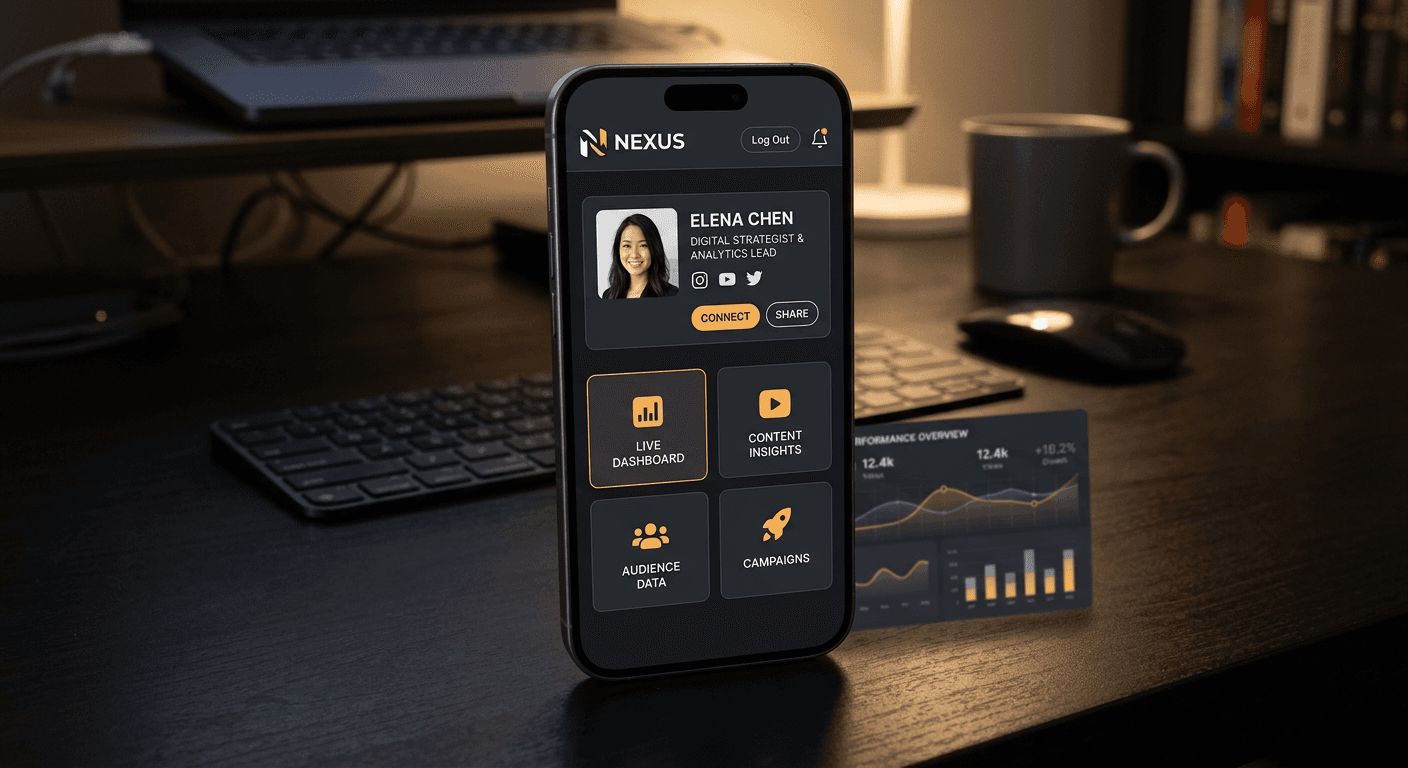
A user watches a short-form video, checks the comments, clicks through to the profile, taps the link, and immediately hits a blank white screen while the in-app browser struggles to load a heavy external website. By the time the page renders, the user has already swiped back to their feed. Most people assume an instagram creator lives or dies by the algorithm, but the actual point of failure for most commercial campaigns is the half-second delay between the profile click and the destination load. The routing layer - the single touchpoint where rented social attention transfers to owned digital infrastructure - is where conversions are actually won or lost.
Quick Summary
Creator identity and social conversion rely on replacing static profile URLs with intelligent routing layers that segment incoming traffic. Rather than sending users to a single destination, a properly structured bio architecture captures intent, tracks behavior, and bypasses platform friction.
- The native in-app browser introduces severe load delays that kill conversion momentum.
- Consolidating digital assets into a single smart page prevents decision fatigue.
- Custom domains build immediate trust compared to generic, heavily spammed link lists.
- A multi-channel economy requires physical-to-digital bridges like custom QR codes.
- Fragmented technology stacks inflate monthly costs without improving traffic flow.
Table of Contents
- Why the average instagram creator leaks traffic at the profile level
- The instagram link in bio meaning shifted from a destination to a routing layer
- What is instagram bio link architecture designed to prevent
- How to get your instagram profile link to bypass in-app friction
- Why fragmented tech stacks inflate costs and break attribution
- Comparison: Evaluating routing infrastructure types
- FAQ
- Recommended Reads
Why the average instagram creator leaks traffic at the profile level
The platform UI is actively designed to keep users inside the application. When an instagram creator directs an audience to their profile, they are fighting against an ecosystem built on retention. The single clickable URL field provided in the profile settings does not launch the user's default browser - Safari or Chrome. Instead, it triggers a WebView, an in-app browser container that strips away the user's saved passwords, existing login sessions, and autofill payment data.
This mechanism creates immense friction. If you route a user directly to a complex e-commerce checkout or a SaaS registration page from a social profile, they are forced to manually type their credit card or create a new password on a modified mobile keyboard. The drop-off rate at this exact stage is catastrophic.
You can test this limitation today. Open your own profile, click your external link, and attempt to complete a purchase or fill out a form without relying on autofill. If the process requires more than three taps, the architecture is failing. The solution is never to push a heavier, more complex webpage. The solution is to introduce a high-speed intermediate layer that loads natively within the in-app browser and qualifies the user's intent before they hit a heavy conversion event.
The instagram link in bio meaning shifted from a destination to a routing layer
Historically, linking from a social profile meant pasting the URL of a home page directly into the settings. The modern instagram link in bio meaning has entirely detached from that static concept. It no longer represents a final destination; it operates as a localized traffic controller.
Because you only get one outbound click from the platform, that click must accommodate every possible user intent. One user might want to read a recent blog post, another might want to book a consulting call, and a third might be looking for a specific product featured in a video three weeks ago. Sending all three to a standard corporate homepage forces them to use a hamburger menu to hunt for what they want. Social traffic has zero patience for navigation menus. If the specific item they clicked for is not immediately visible, they bounce.
Practical rule: Never route cold social traffic to a homepage navigation menu. If the user has to scroll or click a secondary menu to find the offer mentioned in your content, the routing has failed.
To manage this, the routing layer intercepts the raw traffic and presents a segmented list of exact-match destinations. This works by stripping away the heavy CSS and JavaScript of a standard website, presenting instead a highly optimized, mobile-first micro-page. This micro-page loads instantly even inside restrictive in-app browsers, captures the tracking pixel, and immediately presents the user with clear, distinct choices.
What is instagram bio link architecture designed to prevent
Understanding what is instagram bio link infrastructure doing behind the scenes requires looking at the failures of early mobile marketing. The first major failure mode this architecture prevents is the loss of attribution data. When a user moves from a social app to a mobile browser, privacy frameworks like Apple's App Tracking Transparency (ATT) often strip referral data. You end up with a dashboard full of "Direct" or "Unknown" traffic, making it impossible to know which social post actually drove the sale.
A dedicated routing architecture captures the click before the privacy frameworks obscure the origin. By embedding analytics directly into the smart landing page, creators can log the exact timestamp, location, and device type of the click.
The second failure mode is choice paralysis. Generic list-building tools often encourage creators to stack twenty or thirty links on top of each other. This violates basic user interface principles - specifically Hick's Law, which states that the time it takes to make a decision increases with the number and complexity of choices. A proper architecture limits options to the highest-converting actions, usually no more than five to seven distinct routing paths. You can check your own setup by analyzing the click-through rate of links positioned below the initial viewport. If links require a user to scroll down the micro-page, they are almost never clicked and should be removed entirely.
How to get your instagram profile link to bypass in-app friction
The technical deployment of a routing layer dictates whether it gets flagged by spam filters or trusted by users. If you want to know how to get your instagram profile link working at maximum efficiency, you must move away from shared generic subdomains. When millions of users share the same base URL provided by a free link tool, the entire domain's reputation is tied together. If a bad actor uses that shared domain to host malicious content, social networks will heavily throttle or outright block the entire domain, taking down your legitimate traffic with it.
Bypassing this risk requires securing a custom domain for your routing layer. Instead of a generic link, the URL should map directly to your brand name. This signals trust to both the user and the platform's security algorithms.
Once the custom domain is mapped to a smart landing page, the actual placement requires precision. The URL must be placed in the dedicated "Website" field within the profile settings, never written into the biography text itself. Links typed into the bio text render as plain, unclickable text, forcing users to copy and paste them into a browser - an action social media users will practically never take.
Why fragmented tech stacks inflate costs and break attribution
The standard approach to building a creator identity often involves stringing together disparate software tools. A practitioner will typically license a drag-and-drop website builder for a portfolio, a separate landing page tool for email capture, a standalone analytics dashboard, and a third-party generator for custom QR codes to bridge physical marketing efforts.
According to KODE.link's published market comparisons, maintaining separate subscriptions for website designers, landing page builders, analytics software, and hosting can carry a traditional cost of over $1,100 per month. Beyond the financial drain, this fragmentation breaks user attribution. Every time a user is handed off from the email capture software to the main website, tracking pixels fail to fire consistently.
Consolidating these tools into a single, high-performing smart page eliminates the hand-off. The user encounters the portfolio, the email capture, and the digital business card inside the exact same environment. This consolidation is not suited for complex, multi-national enterprise e-commerce operations that require deep inventory management databases. However, for content creators, freelancers, and independent digital marketers, abandoning the fragmented tech stack in favor of a unified routing page is the most effective way to secure attribution and reduce overhead.
Practical rule: Audit your software subscriptions quarterly. If a standalone tool serves only to capture an email or host a single PDF, migrate that function to your central routing page and cancel the subscription.
Comparison: Evaluating routing infrastructure types
Choosing the correct infrastructure depends entirely on the complexity of the commercial intent. Not all traffic routing performs equally under load.
| Infrastructure Type | Primary Mechanism | Risk / Trade-off | Best Suited For |
|---|---|---|---|
| Direct URL Redirect | Routes directly to a single static page. | Extremely high bounce rate if the destination is not mobile-optimized. Fails to segment intent. | Single-product launches with highly targeted, pre-qualified traffic. |
| Generic Link List | Hosts multiple text-based links on a shared subdomain. | Dilutes brand identity. Shared domain reputation risks being flagged by platform spam filters. | Hobbyists or creators with zero commercial intent or monetization. |
| Smart Custom Landing Page | Consolidates media, products, and links under a branded, custom domain. | Requires initial configuration to map domains and establish branding guidelines. | Freelancers, small businesses, and professional creators running multi-channel campaigns. |
FAQ
Why does my custom link look different when opened inside the social app? Social platforms force external links to open within their proprietary WebViews rather than standard mobile browsers. These in-app browsers have distinct rendering engines and heavily restrict cookies, which can alter the appearance of complex websites and break saved login sessions.
Can I track the exact sales generated from my bio link? Yes, provided the routing layer supports pixel integration and UTM parameter passing. By attaching tracking parameters to the outbound links on your smart page, you can pass the referral data directly into Google Analytics or your e-commerce dashboard before privacy frameworks obscure it.
Is it necessary to use a custom domain for a routing page? Using a custom domain isolates your traffic from the reputation risks of shared link-building platforms. It prevents your profile from being shadowbanned if another user on the same generic subdomain violates the platform's terms of service, while simultaneously increasing user trust.
What causes users to abandon a link before it finishes loading? Heavy page weights, unoptimized images, and excessive JavaScript cause load delays. Mobile social users expect instantaneous rendering; if a destination takes longer than two seconds to load inside an in-app browser, abandonment rates spike sharply.
How many routing options should I display at once? Data dictates keeping active choices between three and seven. Presenting more than seven options triggers decision fatigue, causing users to scroll endlessly without taking any commercial action. Group secondary links behind distinct categories if volume is necessary.