The Comprehensive Guide to Understanding the Instagram Link in Bio
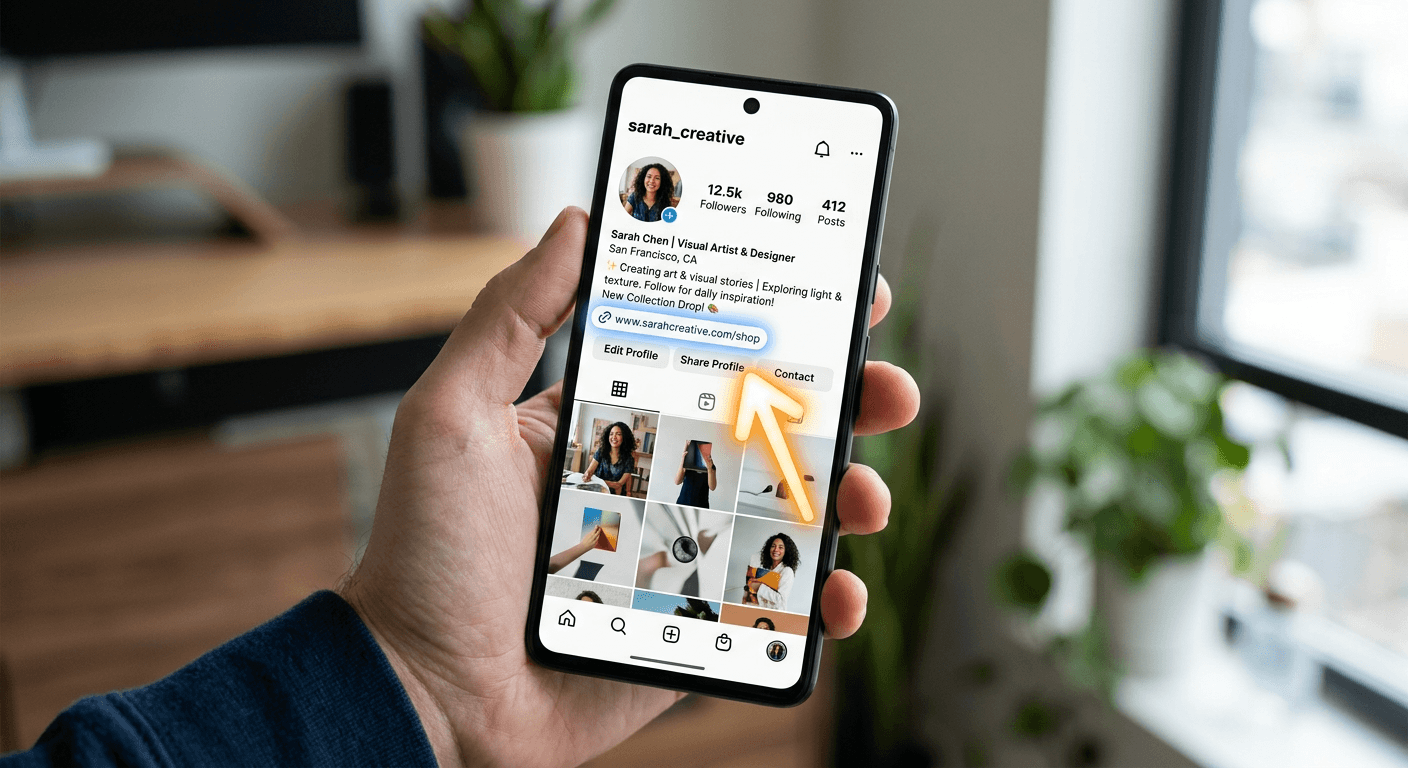
If you have spent even five minutes scrolling through social media, you have likely run into the phrase "link in bio." It is the digital equivalent of a secret handshake - a way for creators and brands to bridge the gap between their content and a website. Understanding the instagram link in bio meaning is essential for anyone trying to navigate the modern social landscape, yet it remains one of those things that people are almost too embarrassed to ask about. Honestly, it is just a simple way to drive traffic where the platform itself limits your options.
Quick Summary {#quick-summary}
The Instagram link in bio refers to the single, clickable URL located in an account's profile section, used to direct followers to external websites, online stores, or content portfolios. Because Instagram restricts links in post captions, this profile link serves as the primary gateway for conversion.
- Acts as the only permanent hyperlink on an Instagram profile page.
- Overcomes the lack of clickable links in individual post captions.
- Commonly utilized by influencers to share products or recent articles.
Table of Contents {#table-of-contents}
- Quick Summary
- Decoding the Instagram Link in Bio Meaning
- Where Is the Link in Bio on Instagram
- Maximizing the Link in the Description Box

Decoding the Instagram Link in Bio Meaning {#decoding-the-instagram-link-in-bio-meaning}
Let’s be real for a second - Instagram is a walled garden. Unlike Facebook or Twitter where you can slap a URL into a post and expect it to be clickable, Instagram makes it intentionally difficult. This is where the "link in bio" concept comes into play. It is a workaround. It is a classic example of human ingenuity solving a technical limitation by using a designated "hub" for all outgoing traffic.
If you ask me, the reliance on this single link has forced creators to become smarter about how they organize their digital presence. Instead of just dumping a single URL, many now use link management tools to create a landing page that holds multiple destinations. It is a bit like a concierge desk at a hotel; you go to the desk, and they point you to the elevator, the breakfast buffet, or the pool. It’s elegant, if a little restrictive.
Why the restriction exists
Ever wonder why they don't just let us post links everywhere? It’s about keeping you inside the app. The longer you stay, the more ads you see. That’s the business model. By limiting where you can go, they maintain control over the ecosystem. It sounds simple, right? Yet, it frustrates every marketer trying to squeeze a conversion out of a follower.
Where Is the Link in Bio on Instagram {#where-is-the-link-in-bio-on-instagram}
Finding that elusive link is usually straightforward, though it sometimes hides in plain sight. If you are looking at someone’s profile, it is situated right under their name and the short text description of their profile. You can't miss it, usually appearing in a distinct blue font. That is the holy grail for anyone trying to figure out what is instagram bio link functionality.
Sometimes, the link is not a website at all. It might be a link to a newsletter, a recent podcast episode, or a storefront. The important thing to remember is that this is the only spot on their entire profile that will take you off the app with a single tap. If a brand tells you to check the link in bio, they aren't talking about their stories or their reels. They mean that specific spot at the top of their page.
Troubleshooting navigation issues
Have you ever clicked a link and it just didn't load properly? It happens. Sometimes the issue is on your end, like a slow connection. Other times, the creator simply messed up the URL in their settings. Don't sweat it too much. If the link is broken, look for a second call-to-action in the text below the link. Some people are now using advanced link optimization strategies to ensure that their followers never hit a dead end.
Maximizing the Link in the Description Box {#maximizing-the-link-in-the-description-box}
There is a common misconception that "link in the description box" refers to the same thing as the bio link. While they sound similar, the description box usually refers to the caption of a video or a post on other platforms like YouTube. On Instagram, people often say "link in bio" to signal that they've updated the destination URL to match a specific new post.
It’s a bit of a dance. You post a picture of a new jacket, you update your bio link to point to the store page for that jacket, and you tell your followers to click the link in your bio. The moment you post something new, you have to swap that link out again. It is a manual process, but it is the heartbeat of social media commerce. If you don't keep it fresh, you lose the audience. Here’s a hot take: the people who master this rhythm are the ones who actually make money on the platform. The others are just posting into the void.
- Update the link immediately when posting about a new offer.
- Use a tracking link to see how many people actually click.
- Keep the link clean and short; nobody wants to click a messy, giant URL.
- Ensure your landing page is optimized for mobile users who are already on their phones.