Step-by-Step: How to Add a Link to Your Instagram Bio Correctly
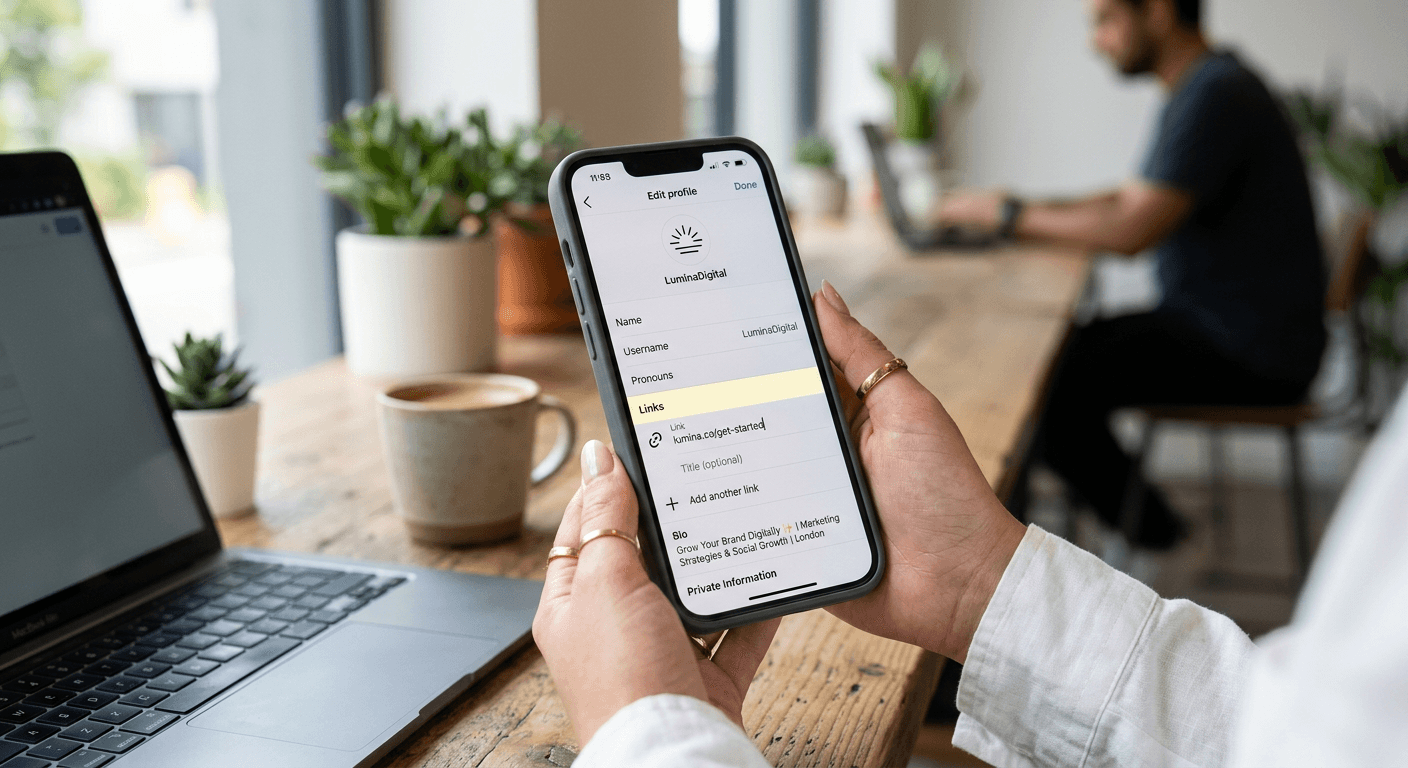
Optimizing your social media presence starts with understanding how to add a link to your Instagram bio correctly to drive meaningful engagement. As a primary touchpoint for your audience, your Instagram bio acts as a digital storefront, and providing a direct path to your content or products is essential for converting passive followers into active users. Whether you are a content creator or a small business owner, mastering this process ensures your audience can easily transition from your social feed to your website.
Quick Summary {#quick-summary}
Adding a link to your Instagram bio involves using the platform's native URL field to direct followers to a landing page or external site. This simple process allows creators to bridge the gap between social media awareness and tangible website traffic.
- Access your profile settings via the 'Edit Profile' button.
- Paste your destination URL into the 'Links' or 'Website' field.
- Use a centralized hub to manage multiple destinations efficiently.
- Ensure your link is mobile-responsive and trackable for better data insights.
Table of Contents {#table-of-contents}
- How to Add a Link to Your Instagram Bio
- Best Practices for Managing Your Bio Link
- Leveraging Dedicated Landing Page Platforms
- Common Pitfalls and Troubleshooting
- Frequently Asked Questions
- Recommended Reads
How to Add a Link to Your Instagram Bio {#how-to-add-a-link-to-your-instagram-bio}
To begin adding a link to your Instagram bio, navigate to the mobile app and select the 'Edit Profile' button located directly below your profile summary. In the configuration menu, you will see an option labeled 'Links'. Instagram now allows for multiple links, but the primary link remains the most visible. Paste your target URL into the designated field. If you are looking for professional ways to consolidate your web presence, using a link in bio platform can simplify this process significantly.
Once the link is added, ensure you hit the checkmark or 'Done' button to save your changes. It is crucial to test the link immediately by tapping it on your own profile. If the link does not load correctly or takes too long to render, your audience will likely abandon the attempt. Verify that your destination URL is secure, preferably using an HTTPS prefix, as this enhances trust and improves the user experience for those clicking through from your profile.
Best Practices for Managing Your Bio Link {#best-practices-for-managing-your-bio-link}
Simply adding a link is only the first step. To maximize the utility of your bio, consider the user journey after the click. If you are promoting a specific product launch or a temporary campaign, update your link regularly to match your most recent content. Many creators use a single static link that leads to a custom landing page, which houses multiple secondary links to social profiles, storefronts, and contact forms.
Tracking is another critical component. Use link shorteners or platform-specific analytics to monitor how many visitors are clicking through. By analyzing the traffic source, you can determine which types of posts on your Instagram feed drive the most interest. A professional approach involves maintaining a clean, branded aesthetic that aligns with your overall digital presence, ensuring the transition from Instagram to your external site feels cohesive.
Leveraging Dedicated Landing Page Platforms {#leveraging-dedicated-landing-page-platforms}
For those managing multiple projects or a diverse set of products, a single URL is rarely sufficient. Utilizing a specialized service allows you to create a high-performance custom landing page that acts as a central hub. This method avoids the common 'link rot' associated with constantly changing URLs and provides a consistent destination for your followers.
These platforms often include features like integrated QR code builders, digital business card functionality, and deep analytics. By consolidating your links, you reduce friction for the user, as they do not have to navigate back and forth to find the specific resource they need. Furthermore, professional-grade landing pages are built to be mobile-first, ensuring that users on smaller screens have an intuitive navigation experience.
Common Pitfalls and Troubleshooting {#common-pitfalls-and-troubleshooting}
A frequent error is failing to use a call-to-action (CTA) in the bio text itself. Without a brief instruction like "Shop our latest collection below," followers may not realize they should click the link. Keep your bio copy concise, clear, and focused on the value the user will receive upon clicking.
Another pitfall is using broken or unverified links. Always check your URL for typos, and if you are using a third-party tracking tool, ensure the redirects are functioning correctly. If you find your Instagram profile link is not appearing or is being flagged by Instagram's security filters, check if the destination URL violates any platform community guidelines. Using reputable, established link management services can help avoid these security flags and ensure your traffic flows uninterrupted.
Frequently Asked Questions {#frequently-asked-questions}
Can I add more than one link to my Instagram bio?
Yes, Instagram currently allows you to add multiple links directly within the 'Edit Profile' section. However, for a cleaner look, many professionals prefer using a single, organized landing page that contains all their important links.
Why is my Instagram link not working?
Ensure the URL includes the 'https://' prefix. Additionally, verify that there are no typos in the domain name. If the link leads to a page that is down or blocked, Instagram may prevent it from being saved.
How can I track clicks on my Instagram bio link?
Most modern link-in-bio platforms provide built-in analytics dashboards. If you are using a direct link, consider using UTM parameters or a URL shortener that offers click-tracking metrics to see your performance data.
Does adding a link affect my engagement?
No, adding a link does not negatively impact your organic reach. On the contrary, providing a direct pathway for users to purchase or learn more can improve your overall business metrics and conversion rates.