Mastering Your Link on Bio Instagram Strategy for 2026
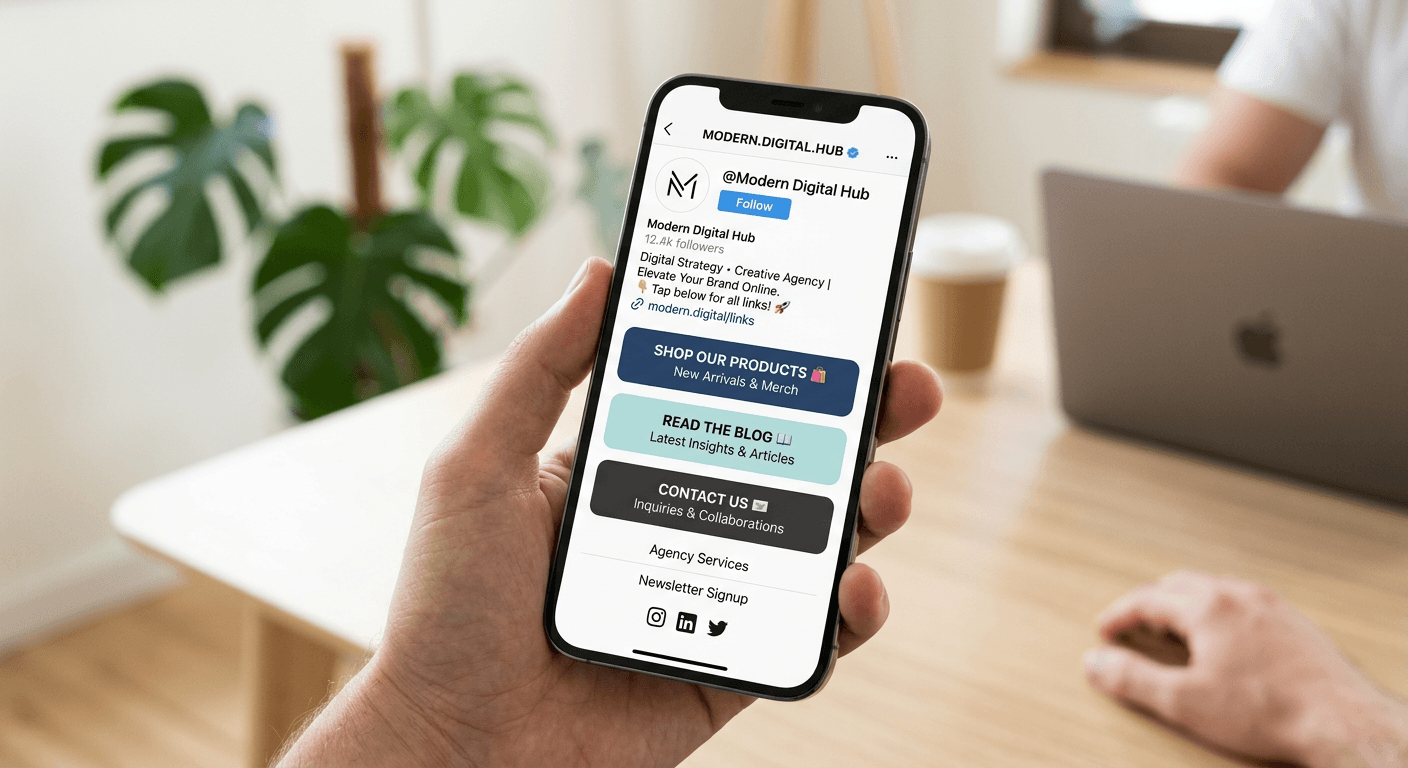
Managing your digital footprint requires a strategic approach to how you funnel social media traffic into actionable destinations. Whether you are a content creator or a small business owner, the single URL permitted in your profile settings is a critical piece of real estate. By centralizing your digital presence, you ensure that followers can seamlessly transition from engagement to conversion.
Quick Summary {#quick-summary}
Optimizing your social presence involves configuring a central hub for all your important resources. Adding a link on bio Instagram allows you to guide followers to websites, product pages, or contact forms efficiently.
- Use a dedicated landing page to consolidate multiple destinations.
- Keep URLs concise and descriptive to improve user navigation.
- Regularly audit your links to ensure all paths are functional and updated.
Table of Contents {#table-of-contents}
- Quick Summary
- Why Link Management Matters
- How to Add a Link to Your Instagram Bio
- Best Practices for Landing Page Optimization
- Common Pitfalls and Troubleshooting
- Frequently Asked Questions
- Recommended Reads
Why Link Management Matters {#why-link-management-matters}
The concept of a link in bio acts as the digital storefront for your brand. On platforms that restrict hyperlinked content within individual posts, this central navigation hub becomes the primary bridge between your social feed and your external ecosystem. Without a cohesive strategy, followers may struggle to find your latest products, blog posts, or professional services, resulting in lost traffic and reduced conversion rates.
Effective link management is not just about having a destination; it is about providing a frictionless journey for your audience. Users expect an immediate, intuitive experience when they click. Utilizing a custom landing page solution allows you to curate this experience, ensuring that your most important content is always prominent. This strategy effectively replaces the need for constantly updating a single link, allowing you to showcase multiple offers without cluttering your profile.
How to Add a Link to Your Instagram Bio {#how-to-add-a-link-to-your-instagram-bio}
Updating your profile settings is a straightforward process, but it must be done with precision to ensure your traffic is directed correctly. Follow these steps to configure your primary destination:
- Open your profile on the application and tap the button labeled "Edit Profile."
- Locate the field designated for website or link entry.
- Paste your preferred URL into this field. If you are using a consolidation tool, ensure the link is fully functional by testing it in a browser first.
- Save your changes and refresh your profile page to confirm the link is visible in the expected location.
When considering where is the link in bio on Instagram, keep in mind that it typically appears directly under your profile name and bio text. Because this is the only clickable link on your profile, it carries significant weight. Ensure the link is clean, preferably using a custom domain or a shortened URL that reflects your brand identity, as this increases click-through trust among your followers.
Pro Tip: If you manage multiple social media channels, use UTM parameters to track exactly where your traffic is coming from, allowing you to refine your content strategy based on real performance data.
Best Practices for Landing Page Optimization {#best-practices-for-landing-page-optimization}
Once you have determined how to put link in your instagram bio, the focus must shift to the content of that landing page. A cluttered page with too many distractions can paradoxically lead to fewer clicks. Prioritize your most essential calls-to-action (CTAs) at the top of the page. This "above the fold" placement ensures that users see your primary offer immediately, regardless of the device they are using.
Consistency in branding is equally important. Your landing page should feel like an extension of your social profile, using similar color palettes, logos, and tone. Utilizing a high-performing link-in-bio platform can simplify this process by offering pre-made templates that are already optimized for mobile viewing. Remember that the vast majority of social media traffic is mobile-first, so test your page on different smartphone screen sizes to ensure text remains readable and buttons are easy to tap.
Common Pitfalls and Troubleshooting {#common-pitfalls-and-troubleshooting}
The most frequent issue creators face is a broken or expired link. This often happens after promotional campaigns end or when internal website architecture changes. Regularly audit your link dashboard to prune dead ends. If a specific campaign has concluded, do not simply delete the link; redirect it to a "coming soon" page or your primary newsletter sign-up to maintain engagement.
Another common mistake is burying high-value content behind multiple clicks. Every extra step a user must take reduces the likelihood of conversion. Keep your navigation structure shallow and logical. If users are complaining about links not working, check the URL for typos or ensure that privacy settings on your target pages are not inadvertently blocking external traffic from mobile browsers.
Frequently Asked Questions {#frequently-asked-questions}
Can I add more than one link to my Instagram bio? Technically, the platform provides only one designated field for a URL. However, by using a consolidation tool, you can create a single landing page that contains multiple links, effectively bypassing this limitation.
Where is the link in bio on Instagram located exactly? It is situated in the upper section of your profile, appearing immediately below your bio description. It is the only place on your main profile where a user can tap to navigate to an external website.
How often should I update my link? Update your link whenever your priority shifts, such as launching a new product or publishing a timely article. With a centralized landing page, you may only need to update the links within that tool rather than the bio link itself.
Does the link need to be a custom domain? While not strictly required, using a custom or branded domain can increase professionalism and user trust. It helps your audience recognize that the destination is legitimate and associated with your brand.