How to Effectively Add Link to Instagram Bio
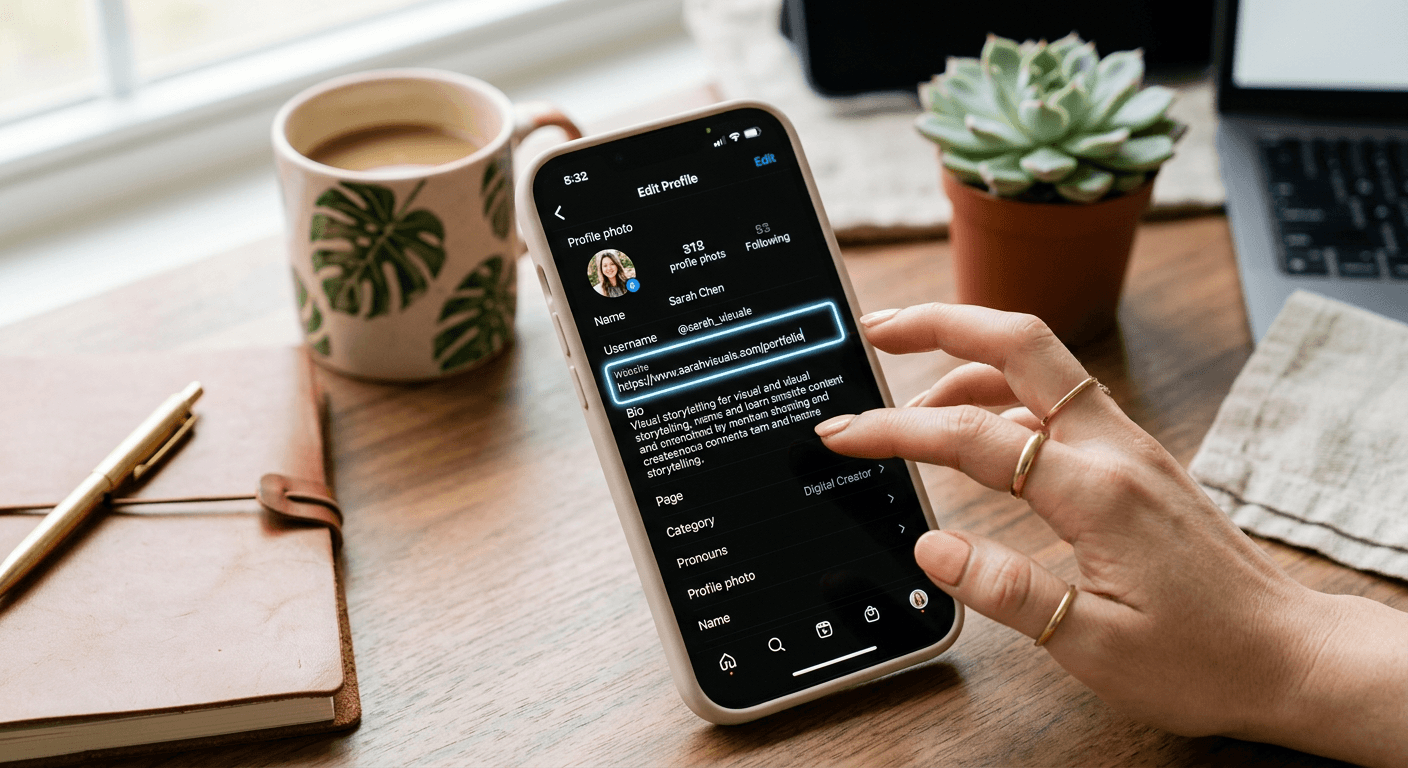
Trying to figure out how to add a link to Instagram bio might seem like a digital rite of passage that everyone else finished five years ago. If you ask me, it is one of those settings that should be obvious but somehow stays tucked away just enough to cause minor annoyance. Whether you are a small business owner trying to drive traffic to your shop or just a person with too many hobbies to list, having that one clickable URL is your digital lifeline. It turns a static profile into a functional hub. Sounds simple, right? Well, let us break down how to actually get it done without the headache.
Quick Summary {#quick-summary}
Adding a link to your Instagram bio allows followers to navigate directly to your website, store, or landing page from your profile. It is the primary way to convert social engagement into tangible traffic. To set this up, access your profile, tap 'Edit Profile', and paste your URL into the Website field.
- Use professional link-in-bio tools for multiple destinations.
- Always verify your URL works before saving.
- Keep links short to maintain a clean aesthetic.
- Update your link regularly based on current campaigns.
Table of Contents {#table-of-contents}
- Quick Summary
- How to Add a Link to Your Instagram Bio
- Where is the Link in Bio on Instagram
- Optimizing Your Instagram Bio Link Strategy

How to Add a Link to Your Instagram Bio {#how-to-add-a-link-to-your-instagram-bio}
Getting that link placed is a straightforward process once you know exactly where to look. Honestly, I believe most people overcomplicate it by searching through advanced account settings, but the fix is actually sitting right on your main profile page. Here is the manual approach to get your site live:
- Open the Instagram app and tap your profile icon at the bottom right.
- Tap the 'Edit Profile' button found right beneath your bio description.
- Look for the 'Links' or 'Website' field. This is where the magic happens.
- Paste your desired URL into that field.
- Hit the blue checkmark or 'Done' to save your changes.
It is that easy. If you find you have more than one destination to share, check out versatile link management tools at Kodelink to consolidate your online presence. Many creators use these platforms to avoid swapping links every single day. If you are struggling with which link to prioritize, consider what your audience needs most right now. Is it a sales page? A new blog post? Give them what they want immediately.
Why the link on bio instagram matters
Think of your profile as a physical storefront. If you have a great window display but no front door, people will just stare and keep walking. That single URL is your front door. It bridges the gap between 'I like this content' and 'I am going to purchase this product.' Without it, your account is essentially a dead end. Have you ever wondered why some accounts grow so much faster? They make it incredibly easy for their audience to take the next step. Don't be the account that makes people dig through direct messages just to find your shop.
Where is the Link in Bio on Instagram {#where-is-the-link-in-bio-on-instagram}
If you are staring at your screen wondering where is the link in bio on Instagram, you are likely looking in the wrong place. Some users try to paste URLs directly into the bio text field. Here is a hot take: that never works. The URL will remain plain text, meaning users cannot click it. You must use the dedicated website field.
Avoiding common mistakes
One common error is using a broken link. Always test your Instagram bio link optimization after you save the profile. It sounds basic, but you would be shocked at how many people leave a typo in their URL, leading visitors to a 404 error page. That is a guaranteed way to lose potential customers. Another thing—keep it short. If your URL looks like a random string of fifty characters, it looks unprofessional and cluttered. Use a link shortener if necessary.
Optimizing Your Instagram Bio Link Strategy {#optimizing-your-instagram-bio-link-strategy}
So, you know how to put a link in your instagram bio. Now, what do you actually link to? The goal is to provide value while keeping the user journey as short as possible. If you are launching a product, link to the product page. If you are a content creator, link to your latest video or newsletter. Don't just dump a generic 'linktree' that leads to ten different places if those places aren't actually relevant to your current content.
- Change it up: Rotate your link based on your latest post or promotion.
- Clear calls-to-action: Use your bio text to point downward at the link.
- Monitor analytics: Keep an eye on your traffic to see if people are actually clicking.
Ultimately, what is instagram bio link success? It is just a metric. If you see high clicks but low conversions, you might need to fix the page the link goes to rather than the link itself. Treat the link as a bridge; if nobody crosses it, check the structural integrity of the bridge. It is all about testing and learning. Don't be afraid to experiment with different landing pages to see what your followers respond to best. You have the tools, so put them to work and see what happens.