How to Choose the Right Link in Bio Tool for Creators
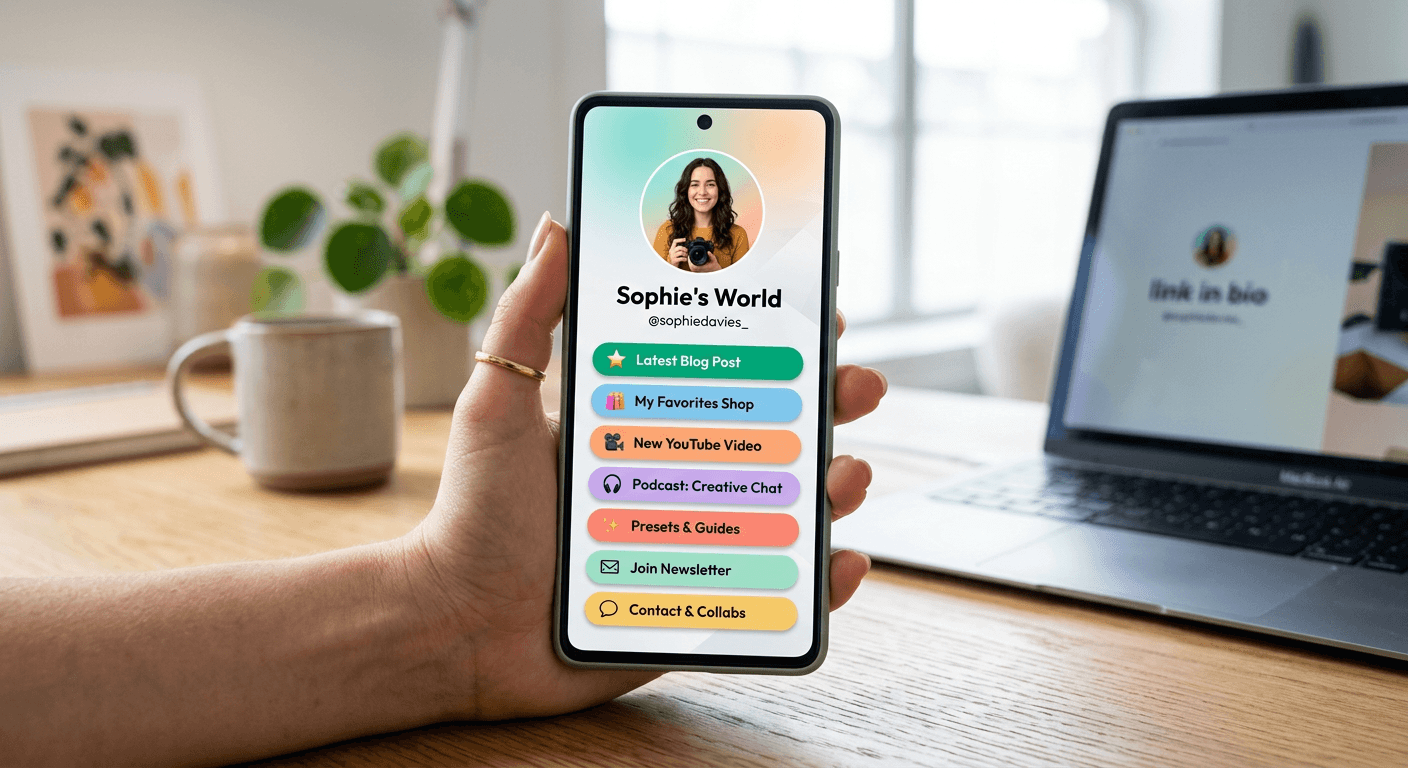
Selecting the optimal link in bio tool for creators is a fundamental step in monetizing your social presence and driving traffic to your most important digital assets. With the limitations of platforms like Instagram - which restrict clickable links to a single profile field - your bio link serves as the central hub for your entire funnel, from newsletters and affiliate shops to exclusive content platforms.
Quick Summary {#quick-summary}
A link in bio tool for creators is a dedicated landing page builder that acts as a bridge between social media profiles and off-platform content. It allows users to house multiple URLs under one master domain, providing tracking data and aesthetic customization to optimize the conversion path for an instagram creator.
- Centralizes all social traffic into a single, high-conversion landing page.
- Enables deep analytics to track click-through rates and audience behavior.
- Supports monetization via direct affiliate links, e-commerce stores, and tip jars.
- Enhances brand identity through custom themes, fonts, and layout controls.
Table of Contents {#table-of-contents}
- Quick Summary
- Evaluating Your Monetization Strategy
- Analyzing Customization and Branding Capabilities
- Technical Integration and Analytics Tracking
- Common Pitfalls and Troubleshooting
- FAQ
- Recommended Reads

Evaluating Your Monetization Strategy {#evaluating-your-monetization-strategy}
Before settling on a specific platform, you must determine whether your primary goal is community growth, e-commerce, or newsletter acquisition. Different tools prioritize different conversion metrics. For instance, some platforms are built specifically for influencers who need to showcase multiple product affiliate links with images, while others focus on simple, text-heavy lists that prioritize clean, distraction-free clicks for newsletter sign-ups.
Consider how the tool handles transaction fees and payment gateways if you plan to sell digital products directly within the bio link. A robust link in bio tool for creators should integrate seamlessly with common payment processors, allowing you to gate content or accept donations without requiring your audience to navigate away from the interface. Choosing a tool that aligns with your specific monetization model prevents "link fatigue," where your audience is forced to navigate through multiple pages before reaching the checkout.
Analyzing Customization and Branding Capabilities {#analyzing-customization-and-branding-capabilities}
Your bio link is often the first touchpoint for a new follower, making aesthetic control essential for professional credibility. The best tools offer more than just a list of buttons; they provide modular design blocks, custom background images, and brand-specific color palettes. As an instagram creator, you want a landing page that feels like an extension of your existing visual identity rather than a generic third-party advertisement.
Look for platforms that support custom domains. Replacing the standard branded URL with your own domain increases trust and ensures your professional branding remains consistent across all digital channels. Additionally, evaluate the layout flexibility - specifically, whether the tool supports grid layouts, media embeds like YouTube videos, or carousels that allow users to preview content without leaving the page. High-conversion pages are those that minimize friction while maximizing visual engagement.
Technical Integration and Analytics Tracking {#technical-integration-and-analytics-tracking}
Data-driven decision-making is what separates successful creators from hobbyists. When evaluating a tool, prioritize those that offer integration with tracking pixels like Meta Pixel or Google Analytics. This allows you to retarget users who visited your bio link but did not complete a purchase or sign-up. Without these technical hooks, you are flying blind regarding your audience's intent and behavior.
Pro Tip: Ensure your chosen platform allows for "link scheduling" or "link priority." This feature lets you highlight time-sensitive promotions or event sign-ups by pushing them to the top of the list or applying an eye-catching animation, which can significantly boost conversion rates for temporary campaigns.
Beyond basic analytics, consider the depth of reporting provided. Does the tool track individual button performance, click-through rates (CTR) over time, and geographic data? You can learn more about optimizing your digital footprint by exploring strategies for link management to better organize your long-term traffic flow. Consistent reporting helps you refine your content strategy by showing exactly which social posts effectively drive users to click your bio link.
Common Pitfalls and Troubleshooting {#common-pitfalls-and-troubleshooting}
One of the most frequent mistakes is overloading the landing page with too many links. Analysis paralysis occurs when a user is presented with ten or more options, often resulting in them clicking none. Keep your top three to five high-priority objectives at the very top of your list to guide the user's attention effectively.
Another common issue is broken link tracking caused by improperly formatted UTM parameters. Always verify that your tracking parameters are correctly appended to your URLs within the tool's interface. If you notice a sudden drop in traffic from your Instagram bio, first check if your URL has been flagged or shortened incorrectly by the platform. Periodically audit your link list to remove outdated promotions, ensuring that every click leads to an active and relevant page.
FAQ {#faq}
Does using a link in bio tool hurt my SEO? Generally, no. These pages act as navigational hubs. However, ensure the tool provides you with basic meta tags and page titles so that the landing page itself can be indexed correctly if shared elsewhere.
Can I use a link in bio tool for multiple social accounts? Yes. While you should tailor the experience, most creators use one master link in bio tool for their primary brand, occasionally creating variations or sub-pages to track traffic from different social sources.
Is a custom domain necessary? It is not strictly necessary for beginners, but it is highly recommended for building brand authority and ensuring your links remain recognizable and trustworthy to your audience.
How often should I update my link in bio? Update your links whenever your priorities change. If you have a major product launch or an event, that link should occupy the top spot until the event concludes.