A Guide to Linking Your Platforms: How to Add Instagram Link to TikTok Bio
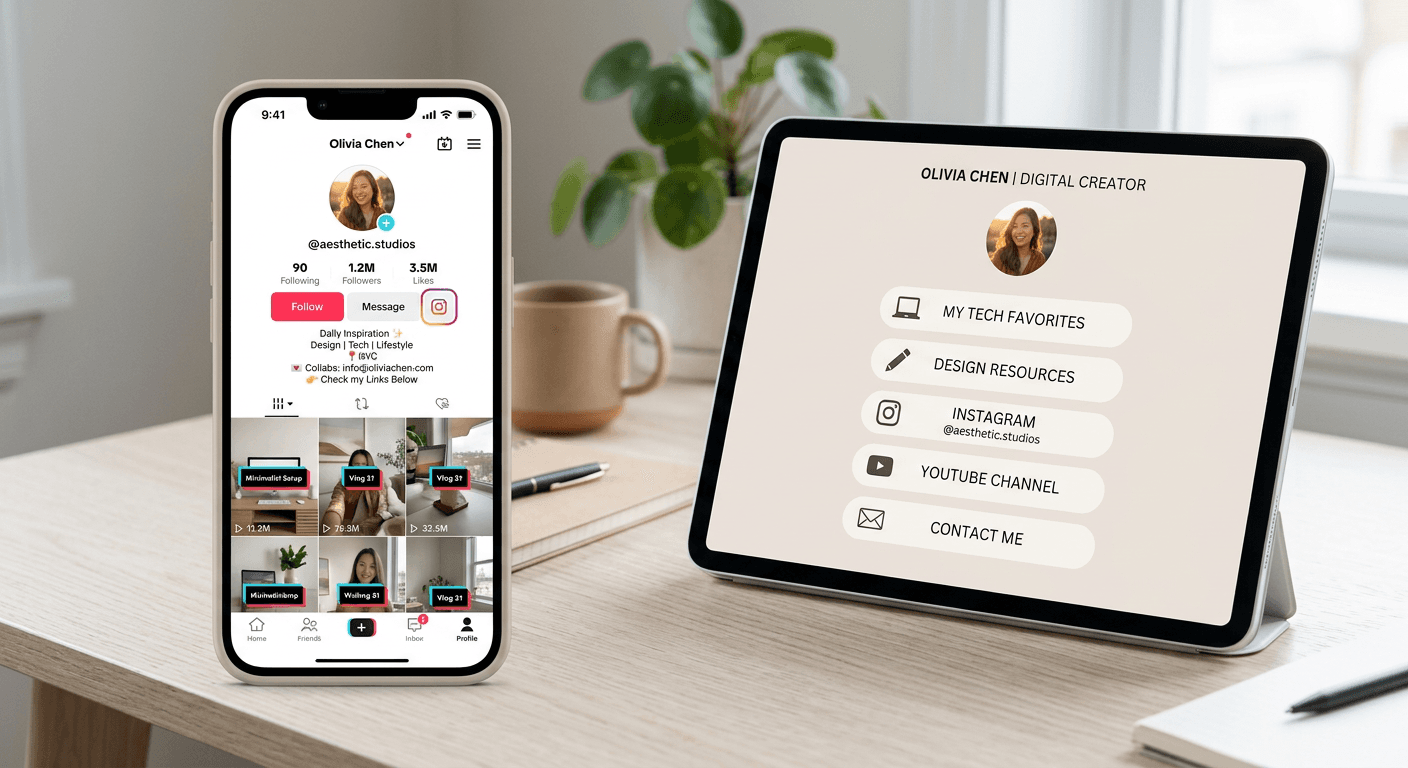
Maximizing your social media presence requires a seamless connection between your various platforms. If you are looking to drive cross-platform traffic, knowing how to add your Instagram to your TikTok bio is a fundamental strategy for content creators and businesses alike. By creating a unified digital footprint, you ensure that your audience can easily transition from short-form video engagement to more permanent, curated content on your Instagram profile.
Quick Summary {#quick-summary}
Linking your social accounts bridges the gap between different content ecosystems, allowing followers to move fluidly between platforms. By adding your Instagram to your TikTok bio, you increase profile visibility, improve cross-platform follower conversion, and consolidate your brand identity into a single, accessible entry point for your audience.
- Use the native TikTok integration for direct account linking.
- Utilize a central landing page for multiple external links.
- Keep URLs concise to ensure they are clickable and readable.
- Monitor engagement metrics to refine your cross-platform strategy.
Table of Contents {#table-of-contents}
- The Strategic Importance of Cross-Platform Linking
- How to Add Your Instagram to Your TikTok Bio
- Utilizing Dedicated Landing Page Solutions
- Common Pitfalls and Troubleshooting
- Frequently Asked Questions
- Recommended Reads
The Strategic Importance of Cross-Platform Linking {#the-strategic-importance-of-cross-platform-linking}
Social media algorithms favor platforms that keep users within their walled gardens, but for brand growth, diversifying traffic is essential. While you may wonder, "can you link TikTok to Instagram," the answer is a definitive yes, and doing so is a best practice for any digital marketer. By connecting these accounts, you create a cohesive funnel that directs casual viewers from high-reach, short-form video content to your primary portfolio or store.
Establishing this link helps build trust. When a user sees your presence mirrored across platforms, your brand appears more established and reliable. Furthermore, leveraging tools like those found at https://kodelink.us.com can help you manage these connections efficiently, especially if you have multiple brands or products that require more than one link to thrive.
How to Add Your Instagram to Your TikTok Bio {#how-to-add-your-instagram-to-your-tiktok-bio}
To manually link your accounts, follow these steps within the TikTok mobile application. This process ensures a clean, verified-style integration that appears directly on your profile.
- Open the TikTok app and tap the 'Profile' icon in the bottom right corner.
- Tap the 'Edit profile' button located under your bio area.
- Scroll down to the 'Social' section, where you will see an 'Instagram' option.
- Select 'Add Instagram' and follow the authentication prompts to log into your account.
- Once authorized, your Instagram handle will appear as an icon on your TikTok profile, allowing users to navigate to your feed with a single tap.
Pro Tip: If the direct integration is not appearing or you are using a professional account, ensure your TikTok app is updated to the latest version, as older iterations may lack updated API permissions for direct social connectivity.
Utilizing Dedicated Landing Page Solutions {#utilizing-dedicated-landing-page-solutions}
If you need to link more than just your Instagram - perhaps your shop, your blog, and your latest YouTube video - a dedicated link-in-bio tool becomes necessary. While learning how to add your Instagram to your TikTok bio is the first step, these platforms offer a superior way to organize your digital presence.
Using a link-in-bio platform allows you to create custom landing pages that act as a central hub. Instead of changing your single allowed URL every time you release new content, you maintain one persistent link in your bio. This approach is highly effective for driving traffic and increasing sales because it removes friction for the user, providing them with all relevant touchpoints in one place.
Common Pitfalls and Troubleshooting {#common-pitfalls-and-troubleshooting}
One common issue is the "Link not clickable" error. This usually happens when users paste a full URL into their bio text field instead of utilizing the designated Website field or the Social integration menu. TikTok often disables direct hyperlink functionality in the bio text area to prevent spam, so always use the official fields.
Another pitfall is account mismatch. Ensure the Instagram account you are linking is the one that aligns with your current branding. If you have multiple Instagram profiles, ensure you are logged into the correct one in your device's browser or the Instagram app before attempting the integration in TikTok. If the link breaks or fails to authorize, clear your app cache or restart your device to refresh the session tokens.
Frequently Asked Questions {#frequently-asked-questions}
Can I add my Instagram to my TikTok bio if I have a private account?
Yes, you can link a private Instagram account, but keep in mind that users who click the link will still have to send a follow request to view your content. For businesses, a public account is recommended to ensure frictionless traffic.
Will linking my Instagram to TikTok affect my reach?
There is no evidence that linking social accounts negatively impacts reach. In fact, cross-pollinating your audience often boosts engagement signals as followers interact with your content across multiple platforms.
Why can't I see the Instagram button on my TikTok profile?
If the button is missing, double-check your 'Edit profile' settings. If the integration failed during setup, remove the current link, refresh your app, and attempt the authorization again from the 'Social' section.
Is it better to use a landing page or a direct link?
For individuals with a single focus, a direct link is fine. For creators and businesses with multiple products or social channels, a landing page provides a more professional, comprehensive experience.